Data & Export
At a glance
Section titled “At a glance”Data & Export keeps copies of your company's timekeeping data. You can ask for a new copy whenever you want, and the system makes one by itself every week. Each copy is a JSON file you can download.
The screen
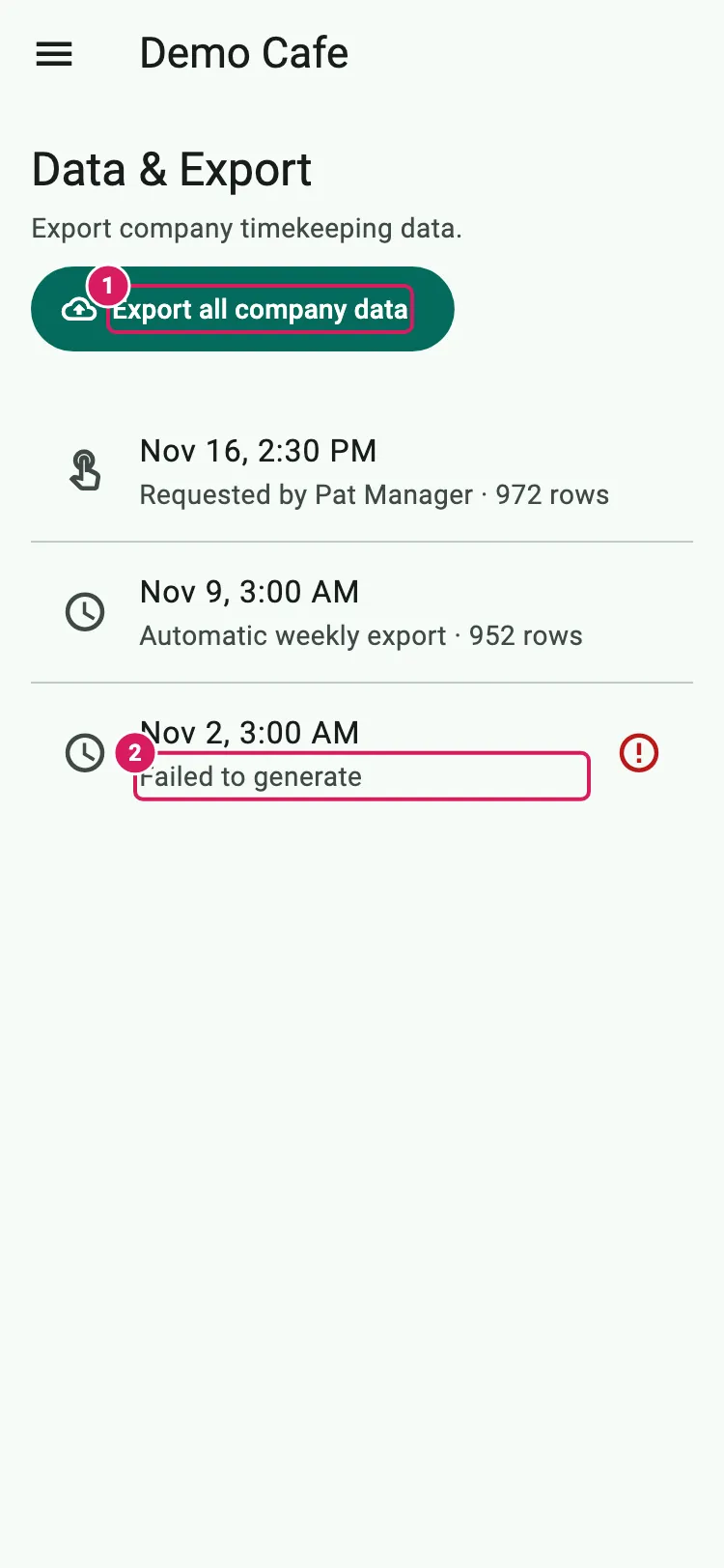
Section titled “The screen”The page has a title, one button to make a copy, and the list of copies, the newest first. Each line shows the date and time, who or what made the copy, and how many rows it holds. Open a line to see what is inside it.
Parts of the screen
Section titled “Parts of the screen”- The Export all company data button makes a new copy now.
- The line Failed to generate is under a copy that could not be made. It cannot be opened.
Options and filters
Section titled “Options and filters”None. The list shows the latest 50 copies.
Actions
Section titled “Actions”- Export all company data makes a copy and adds it to the top of the list. The page says "Company data export generated." when it is ready. While the copy is being made the button is off.
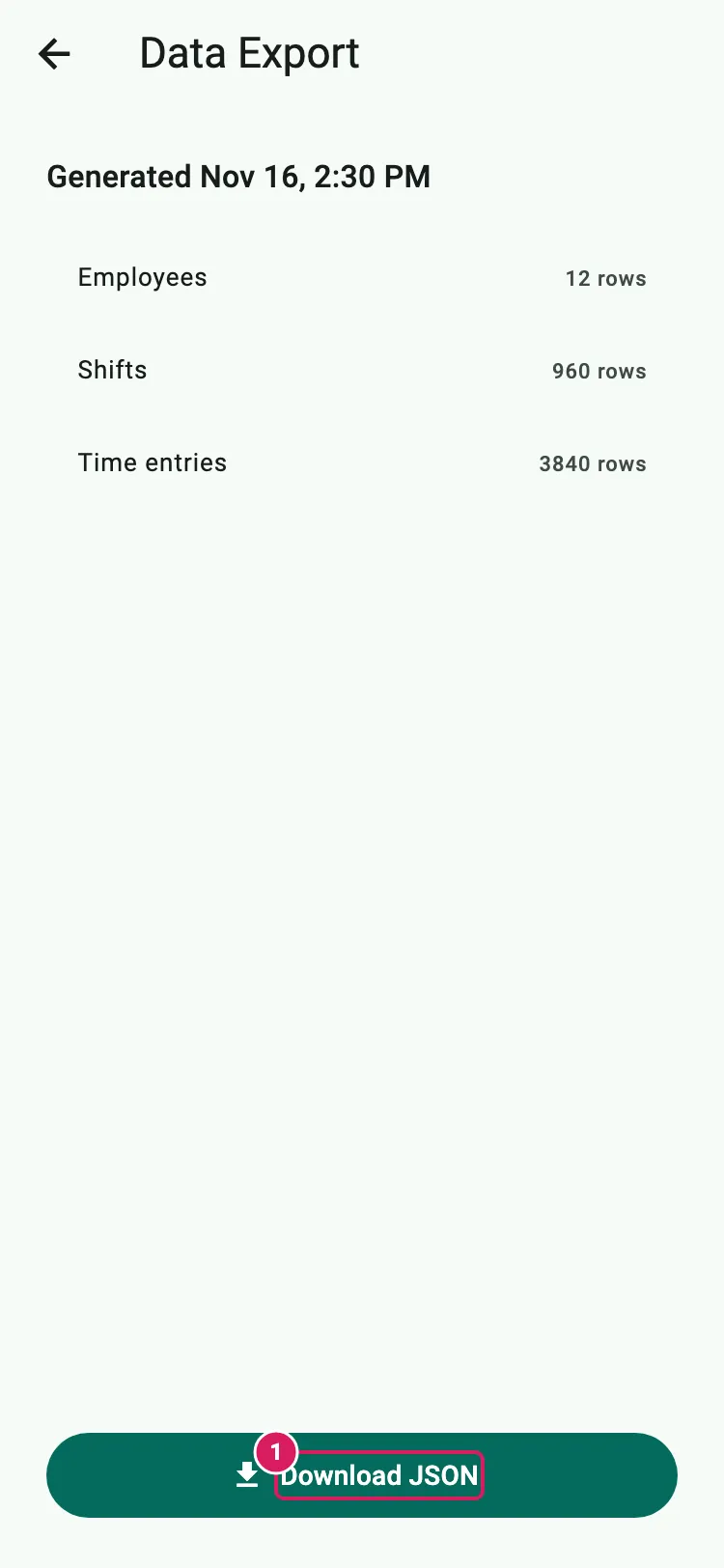
- Touch a line to open the copy. It shows the date it was generated and, for each group of data, the number of rows.
- Download JSON in an open copy saves the file
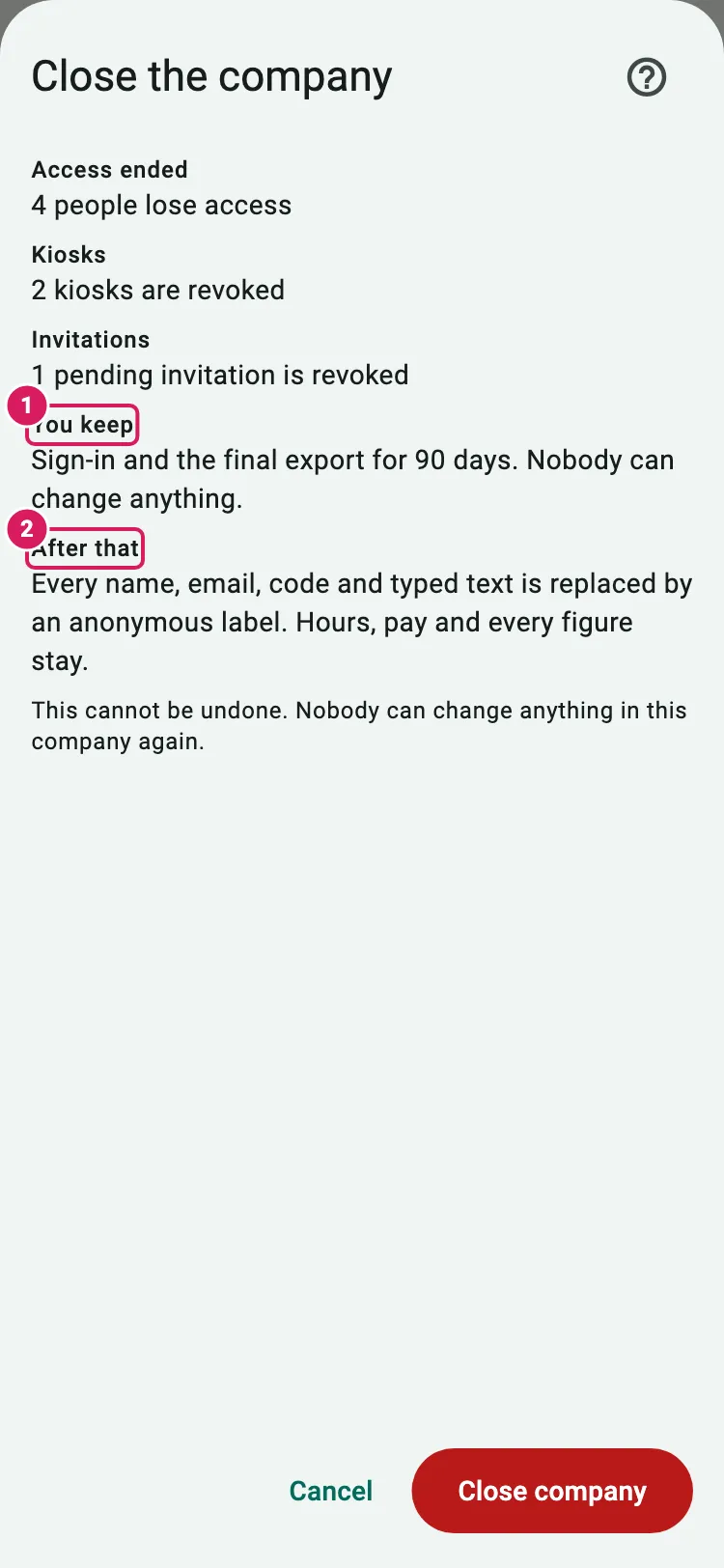
company_export_<id>.json. - Close company is under the title and only the owner of the company sees it. It asks first and lists exactly what happens: everyone else loses access, every kiosk is revoked, pending invitations are revoked, and the company becomes read-only. You keep your own sign-in for the retention window to download the final export. The button of the confirmation is also Close company, and it cannot be undone.
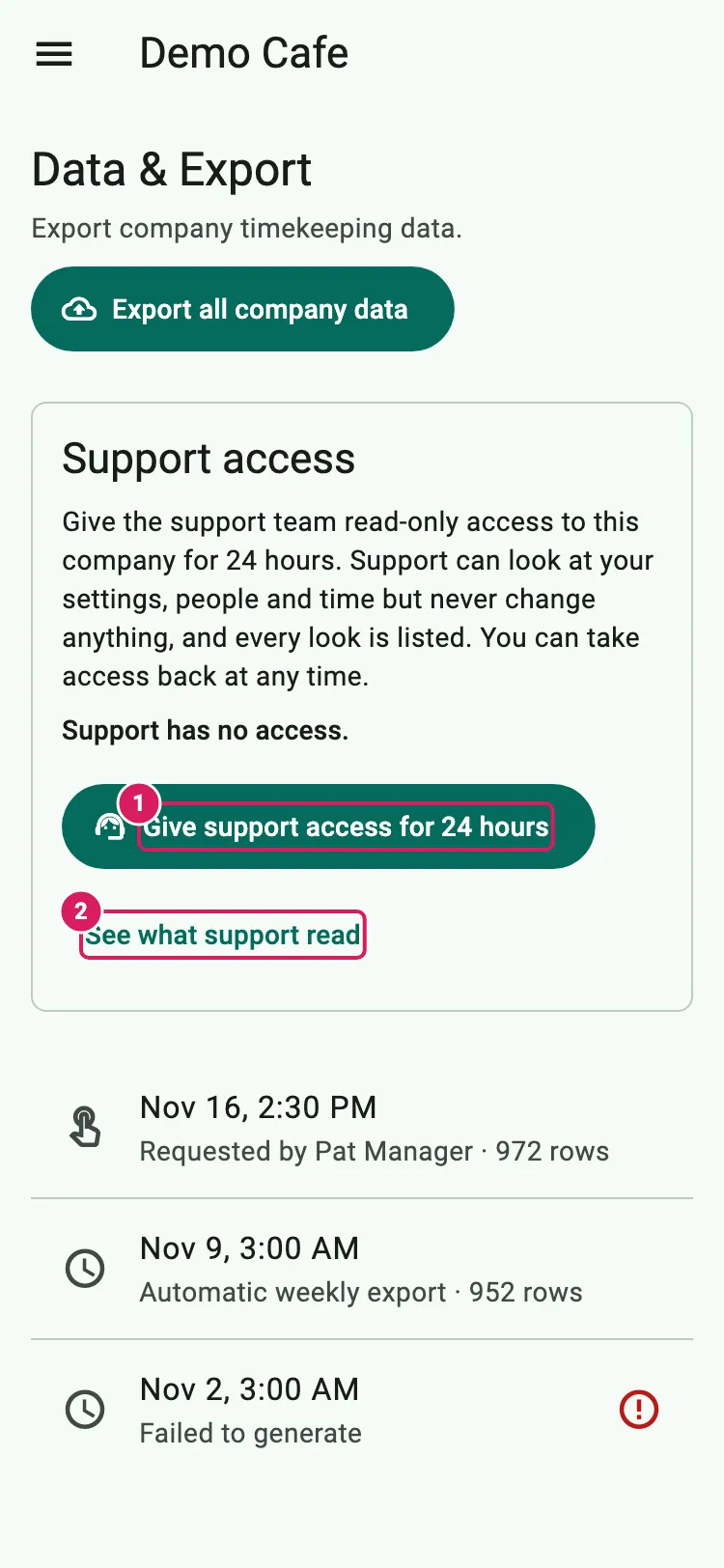
- Support access is also under the title and only the owner of an open company sees it. Give support access for 24 hours lets the support team read your company's settings, people and time, and nothing else: they cannot change anything. The text under the title says until when. Take access back ends it at once, and it ends by itself after 24 hours or when the company is closed. See what support read lists every look, with the day and time and the support person who made it.
The confirmation of Close company lists what happens before you confirm:
The owner's switch for support access:
Colours, icons and badges
Section titled “Colours, icons and badges”- A clock icon marks the copy the system makes each week ("Automatic weekly export"). A finger icon marks a copy someone asked for ("Requested by" and the name).
- A copy that failed has a red error icon and the words Failed to generate; the words are always there, never only the colour.
Phone and desktop
Section titled “Phone and desktop”The screen is the same on both. An open copy takes the whole page, with a back arrow to return to the list.
Common questions
Section titled “Common questions”What happens to a closed company? Nobody can change anything in it, and only its owner can sign in, to download the final export. When the retention window ends the company is anonymized: every name, email, code and typed text is replaced by an anonymous label, while hours, pay and every figure stay. A closed company shows a notice with the last day.
What is in a copy? The groups of the open copy list it: company, company settings, locations, positions, employees, employee positions, shifts, time entries, breaks, time corrections, time adjustments, payroll settings, pay rules, employee pay setup, payroll periods, payroll export history, kiosk settings and timekeeping settings. What is not in that list, such as the audit log, is not in the file. A copy never contains PIN hashes, device secrets, tokens or any other credential: an employee's row is there, without anything that could sign in or punch as them.
When does the automatic copy run? Once a week, at 03:00 on Sunday by the server's clock, for each active company.
Can I delete a copy? No. The page has no way to delete one.
I am offline. The button answers "You're offline. Connect to the internet and try again." and makes nothing.