Scan kiosk QR
At a glance
Section titled “At a glance”Scan kiosk QR lets you approve a punch from your phone. At the kiosk you ask for a punch and the kiosk shows a QR code. You scan it here, check the request and approve it.
The screen
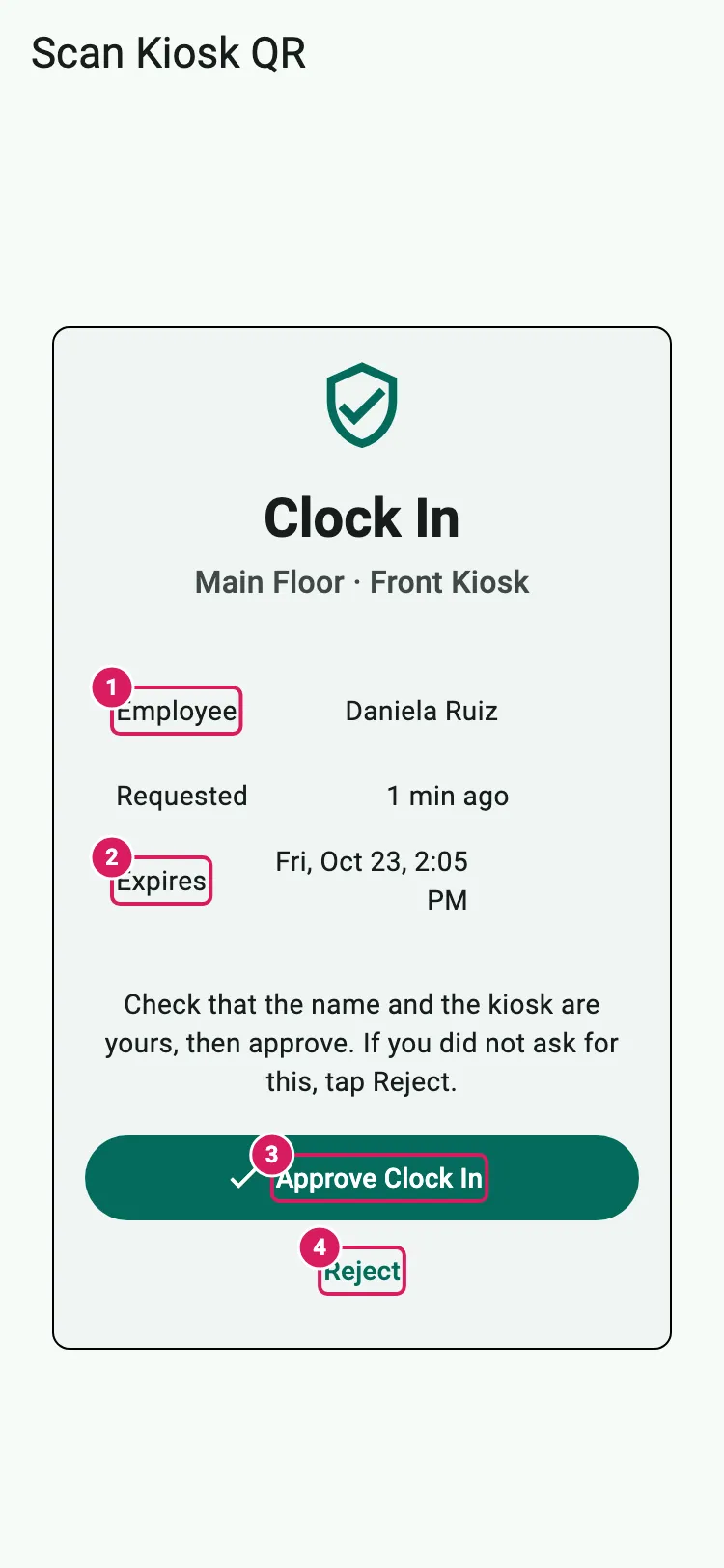
Section titled “The screen”The screen opens the camera and says "Point the camera at the QR code on the kiosk screen." When it reads a code, a card shows the request: the action, the kiosk, who asked and when it expires.
Parts of the screen
Section titled “Parts of the screen”- Employee: the name on the request. It must be yours.
- Expires: when the request stops working.
- Approve {action}: approves the request, for example to clock in.
- Reject: closes the card without approving.
Options and filters
Section titled “Options and filters”None.
Actions
Section titled “Actions”- Hold the camera over the code on the kiosk. It reads by itself.
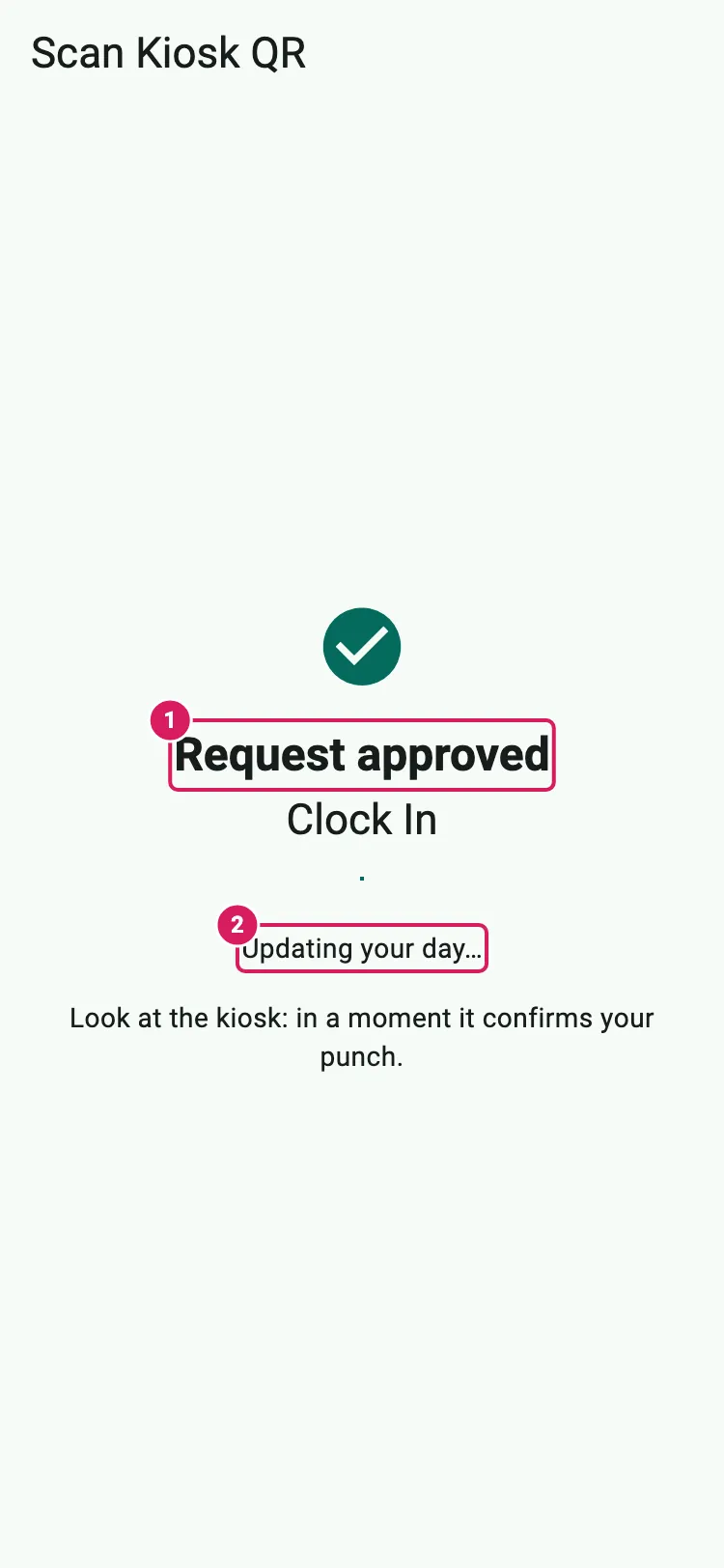
- Check the name and the kiosk, then touch Approve {action}. The screen says "Request approved" and "Updating your day…", asks you to look at the kiosk and closes by itself.
- Reject closes the card and the camera looks for a code again. It does not tell the kiosk; the request just runs out at its time.
Colours, icons and badges
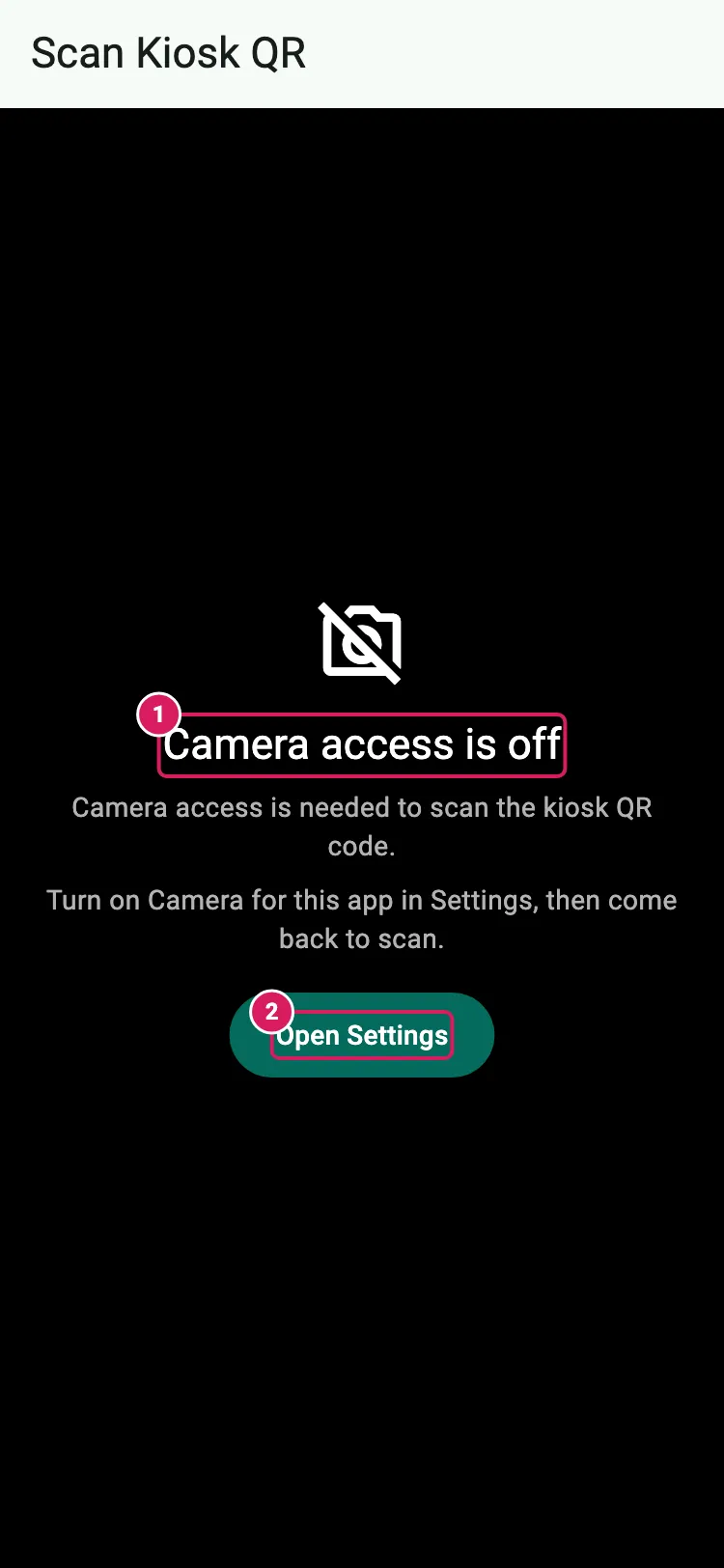
Section titled “Colours, icons and badges”When the phone refuses the camera, the screen says "Camera access is off" and Open Settings goes to where you can turn it on. When the camera cannot start, it says "Camera unavailable" and has no button, because settings cannot fix it.
Phone and desktop
Section titled “Phone and desktop”This screen is part of the Employee Mobile app, made for a phone. It is opened from Scan kiosk QR on the Today tab.
Common questions
Section titled “Common questions”The code does not work. A code is valid for 75 seconds. At the kiosk touch Retry QR, then scan again.
It says I am offline. The card says "You're offline. Connect to the internet and try again." and keeps the request, so connect and touch Approve {action} again before it expires.
The name is not mine. Touch Reject. Do not approve a request you did not make.
The camera is busy. Close any app that is using the camera and try again, or use your PIN at the kiosk.