Payroll
At a glance
Section titled “At a glance”Payroll shows one pay period at a time: who worked how many hours and the gross pay estimate for each employee, with the totals. A manager closes the period here and exports it.
The screen
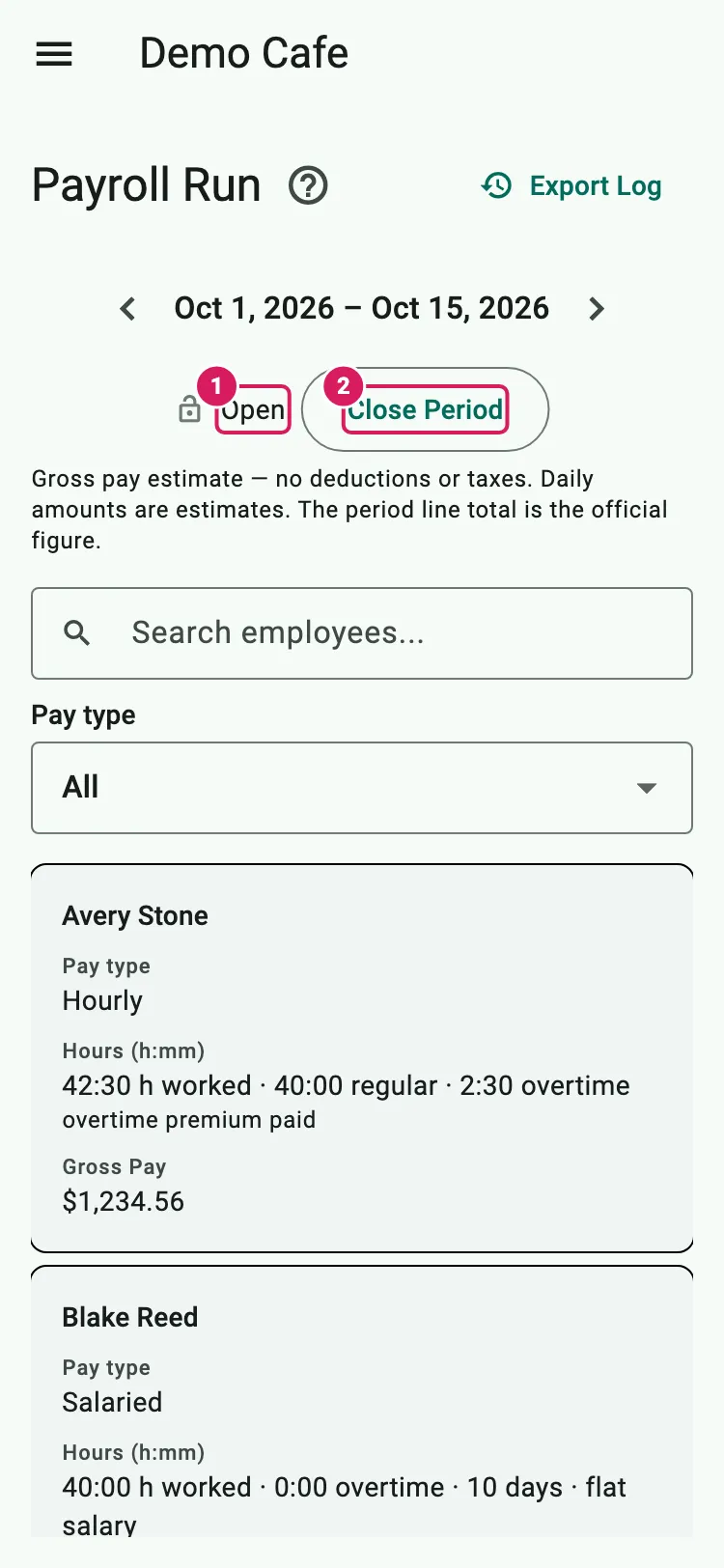
Section titled “The screen”The title is Payroll Run, with the arrows to move between periods, the status of the period, a notice that the figures are an estimate, then the filters, the table and the totals.
Parts of the screen
Section titled “Parts of the screen”- The status of the period, Open or, once closed, "Closed" with who closed it and when.
- The Close Period button. A closed period has no such button.
Options and filters
Section titled “Options and filters”- Previous period and Next period move one whole pay period at a time. The period type is set in Settings, Payroll Rules: weekly, every two weeks, twice a month (1st to 15th and 16th to the end) or monthly.
- A search field (Search employees...) and a filter by Pay type: All, Hourly or Salaried. The totals do not change when you filter.
- The table has the columns Employee, Pay type, Hours (h:mm) and Gross Pay.
Actions
Section titled “Actions”- Close Period locks the figures.
- Export CSV and Export PDF produce the export, and Export Log lists the earlier ones.
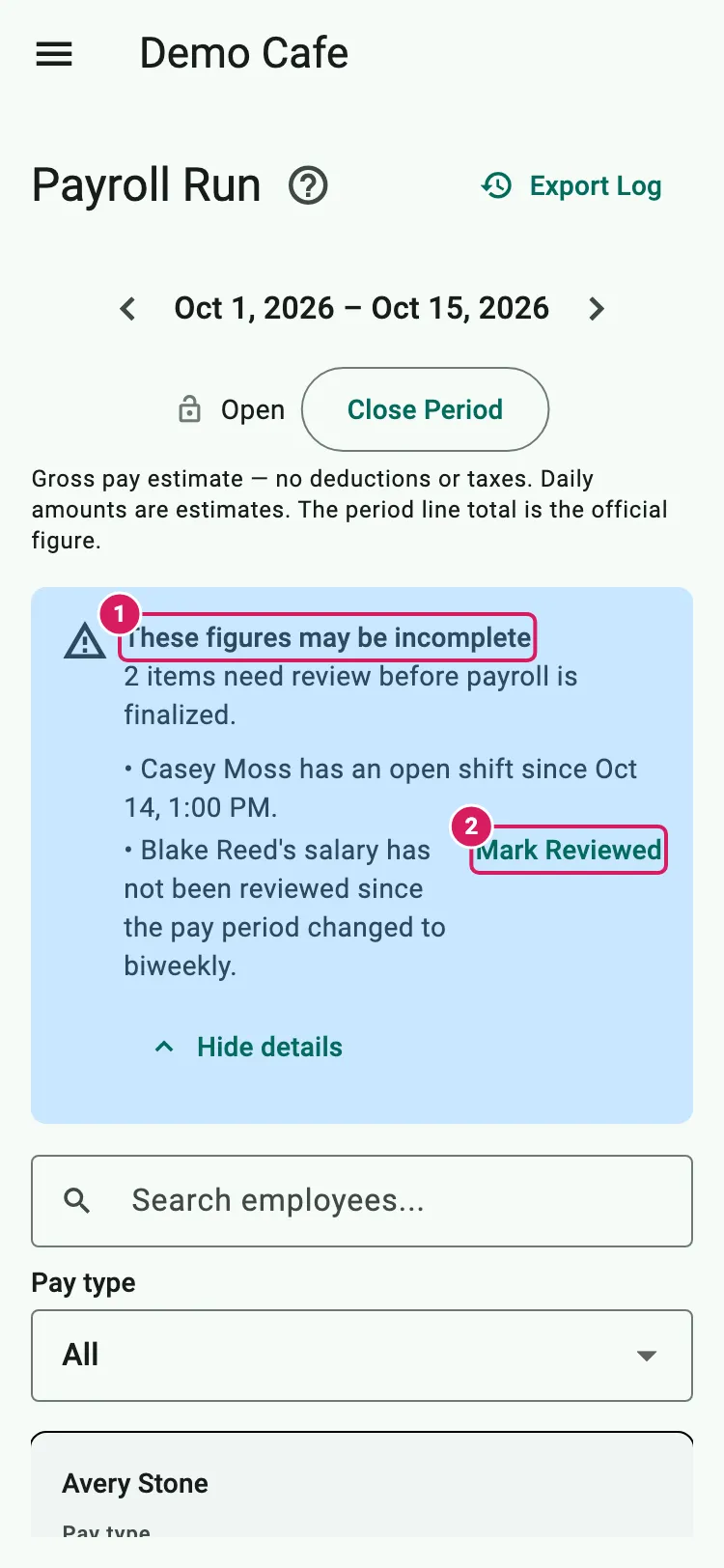
- Mark Reviewed confirms a salary again without changing it.
- Show details opens the details of a warning.
Colours, icons and badges
Section titled “Colours, icons and badges”- A lock and the words "Open" or "Closed" show the state of the period.
- The banner "These figures may be incomplete" says how many items need review: an open shift, a pending correction, an employee with hours but no pay setup, or a salary not reviewed since the pay period changed.
- A line "Late fixes pending" on a closed period says some fixes will be paid in a later period, with a Go to that period button.
- The section Late fixes from earlier periods lists the fixes paid in this period.
Phone and desktop
Section titled “Phone and desktop”On a phone each employee is a card. On a narrow tablet the Pay type column moves into the details of each row.
Common questions
Section titled “Common questions”Is this the final pay? No. It is a gross pay estimate, with no deductions or taxes. The line total of the period is the official figure.
Can I reopen a closed period? No. Later changes are paid as late fixes in an open period.
Why can I not close or export? Closing needs permission to manage payroll and exporting needs permission to export. With permission to view only, you can browse the periods and the Export Log.