Review
At a glance
Section titled “At a glance”Review is the queue of things that wait for a manager: correction requests, punches held from offline kiosks and days another manager added. You see the tabs you have permission for.
The screen
Section titled “The screen”The page has one tab for each kind of item. Each item is a card with its details and the buttons to decide it.
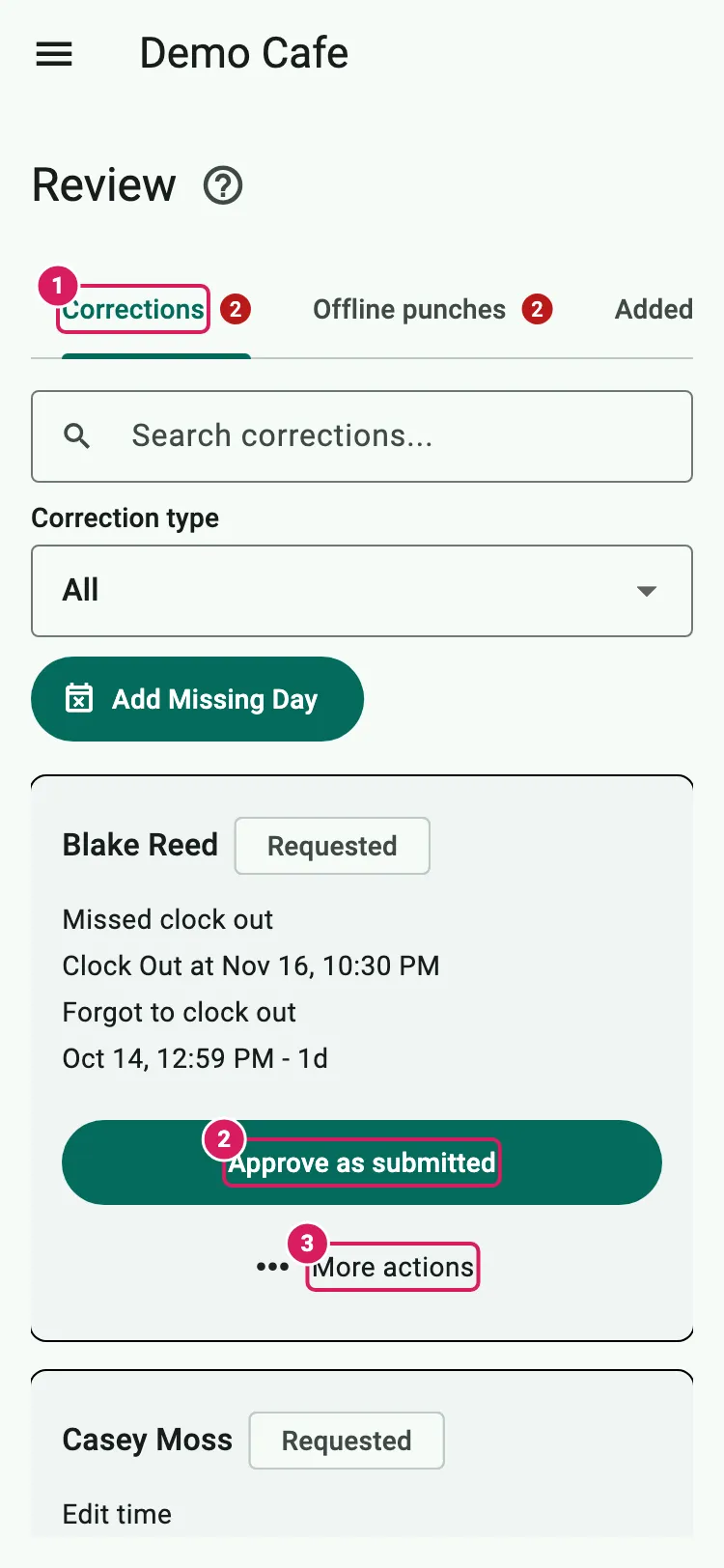
Parts of the screen
Section titled “Parts of the screen”- The Corrections tab, with a number when items wait.
- The main button of a card, Approve as submitted.
- The More actions menu holds the other decisions.
Options and filters
Section titled “Options and filters”- The Corrections tab has a search field (Search corrections...) and a filter (Correction type).
- You see Corrections with permission to review corrections, Offline punches with permission to manage time entries, and Added days with permission to approve.
- With none of these permissions the page says you do not have access to any part of the review queue.
Actions
Section titled “Actions”- Corrections: Approve as submitted, Approve with changes, Reject.
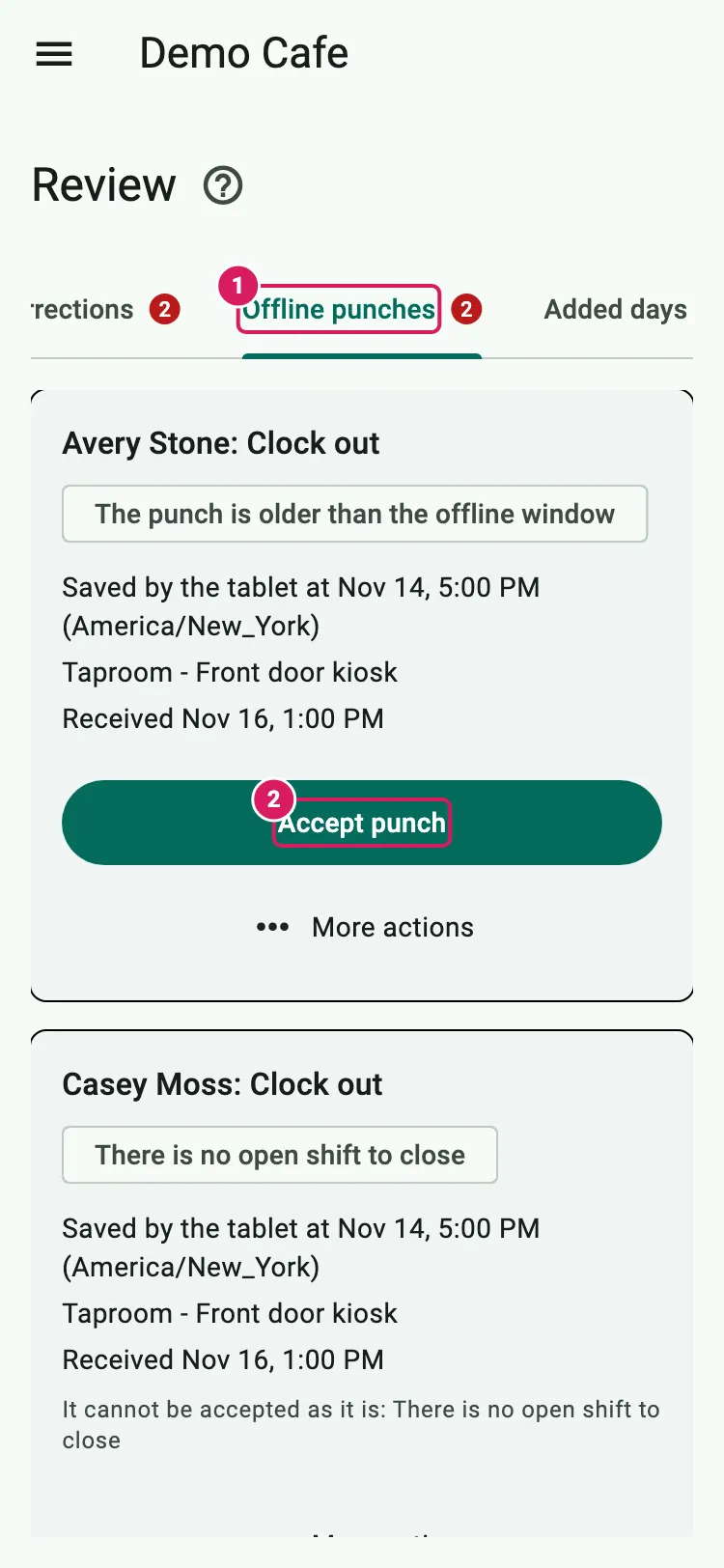
- Offline punches: Accept punch, Accept with a changed time, Reject punch.
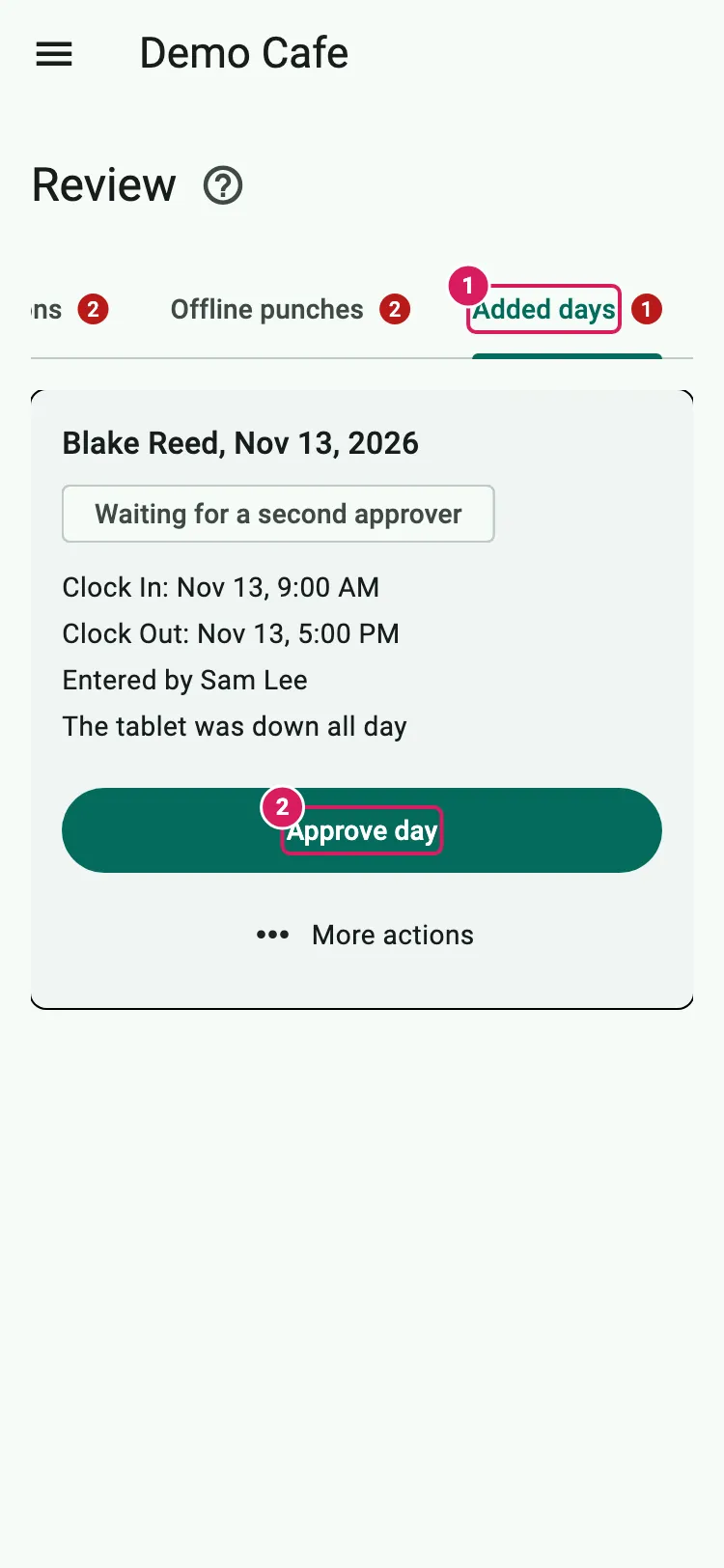
- Added days: Approve day, Reject day, Withdraw.
- Add Missing Day adds a day for an employee.
Colours, icons and badges
Section titled “Colours, icons and badges”- A number on a tab, and on the Review entry of the menu, counts the items waiting.
- "Waiting for a second approver" marks an added day that another manager must decide.
- Self-edit marks a decision a manager made about something they entered or that is about them.
- A held punch shows why it needs review, in words.
Phone and desktop
Section titled “Phone and desktop”On a phone the cards are stacked and More actions shows as an icon with the words. The same decisions are available at every width.
Common questions
Section titled “Common questions”Why can I not approve this? You cannot decide something you entered, or that is about you, while another manager can. The decision is refused until someone else decides it.
Someone else decided first. The app says so and the item is already decided.