Positions
At a glance
Section titled “At a glance”A position is what a person does at work, such as Server or Cook. Each position carries an access tier, which sets what an employee with a linked account can open in the app. Use this screen to add a position, rename it, change its tier or switch it off.
The screen
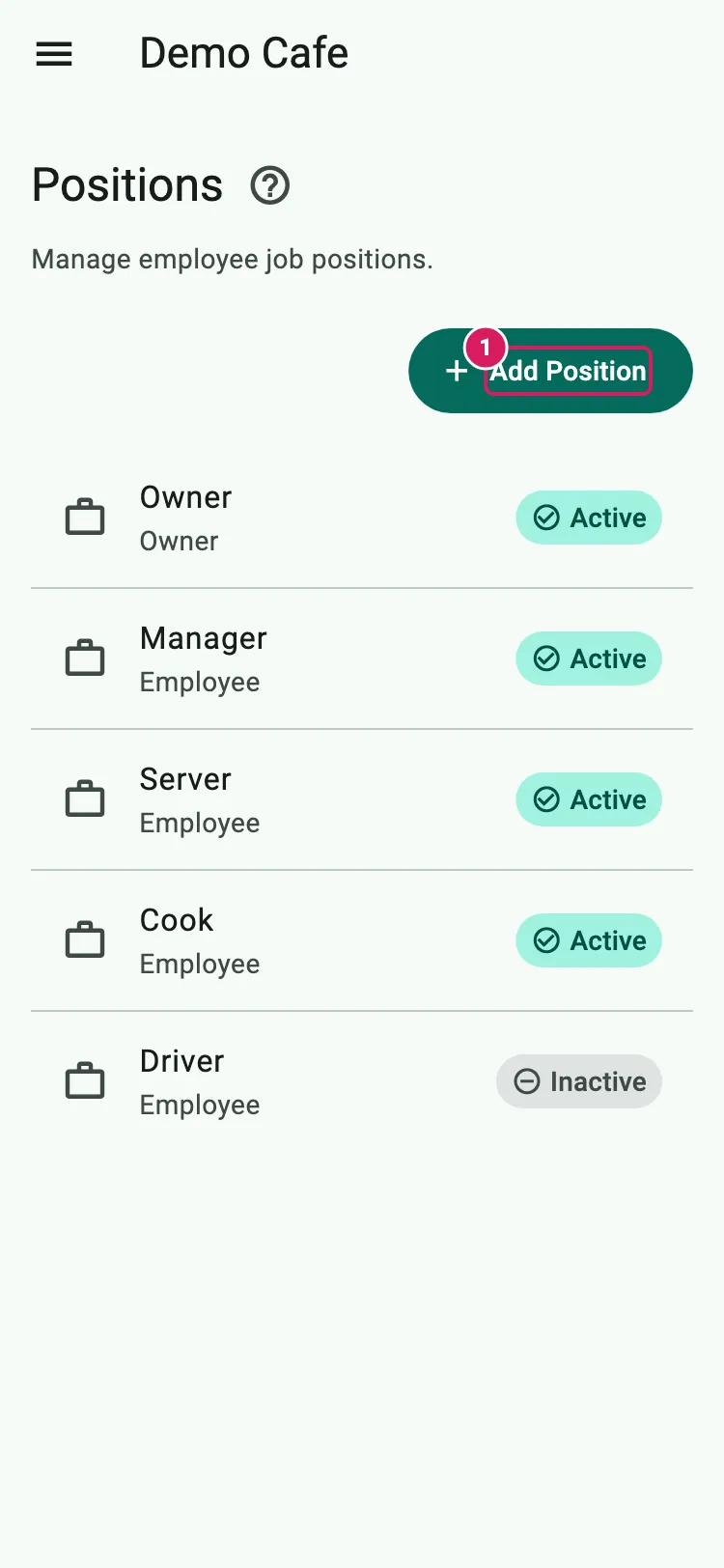
Section titled “The screen”The page lists your positions, one line each, with the name, the access tier under it and a badge with Active or Inactive. The button at the top adds a position. Touch a line to open it. You need the permission to manage positions to change anything.
Parts of the screen
Section titled “Parts of the screen”- The Add Position button opens the form for a new position.
Options and filters
Section titled “Options and filters”The list has no search and no filters. A position you switched off stays in the list, marked Inactive, so you can bring it back.
Actions
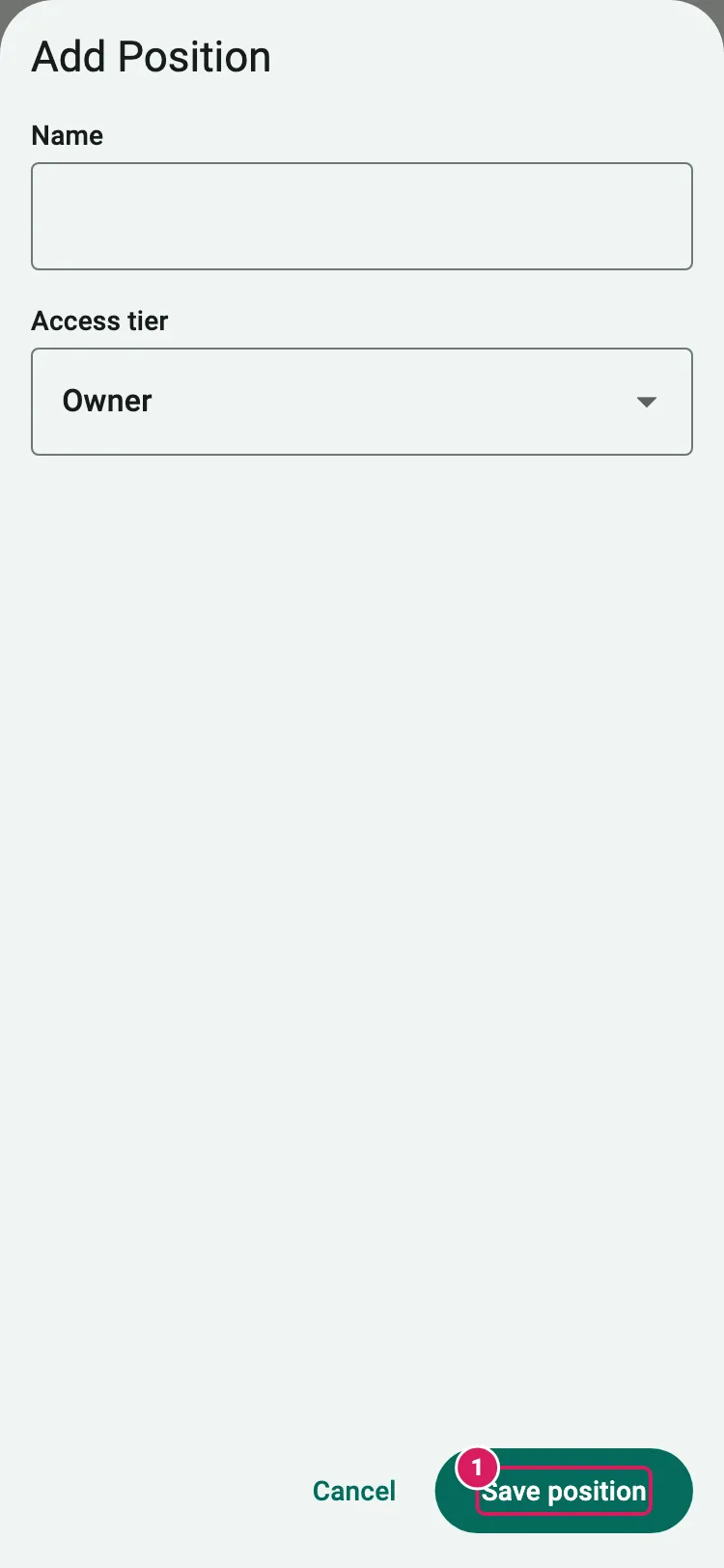
Section titled “Actions”- Add Position opens a form with Name and Access tier. Touch Save position. The tier is chosen from the roles of your company, and the first one is already selected.
- Touch a line to change the name or the tier. The edit form also has an Active box: clear it and save to switch the position off. The page says "Position deactivated." with an undo, and "Position reactivated." if you undo.
- Without a name the form says "Enter a position name.", and without a tier "Choose an access tier."
Colours, icons and badges
Section titled “Colours, icons and badges”The badge on each line has an icon and a word, Active or Inactive. The word is always there, the colour only helps.
Phone and desktop
Section titled “Phone and desktop”On a phone the lines use the whole width and the form opens as a full screen. On a desktop the same list sits beside the menu and the form is a dialog.
Common questions
Section titled “Common questions”Can I delete a position? No. Switch it off. Employees keep it in their history.
What happens when I switch a position off? It no longer appears as a choice for new assignments. An employee who already has it keeps it until you change it.
Does the access tier change what an employee can do? For an employee whose account is linked, yes: when you set their position in the employee form, they get the permissions of that position's tier. An employee without an account only has the position as a label.
The list is empty. The page says "No positions yet."