Read Labor Cost
At a glance
Section titled “At a glance”- Time: about five minutes.
- Who: a manager who can view payroll.
- Difficulty: easy.
Purpose
Section titled “Purpose”Find out what a week, a month or any stretch of up to 90 days has cost in labor, and where the cost goes.
Ingredients
Section titled “Ingredients”- Permission to view or manage payroll.
- Pay set up for the employees you want to see (without it the page warns you).
Expected result
Section titled “Expected result”You know the estimated cost and the hours of the range, which employees, locations and positions they come from, and whether anything open may still change the figure.
- In the navigation, choose Labor Cost.
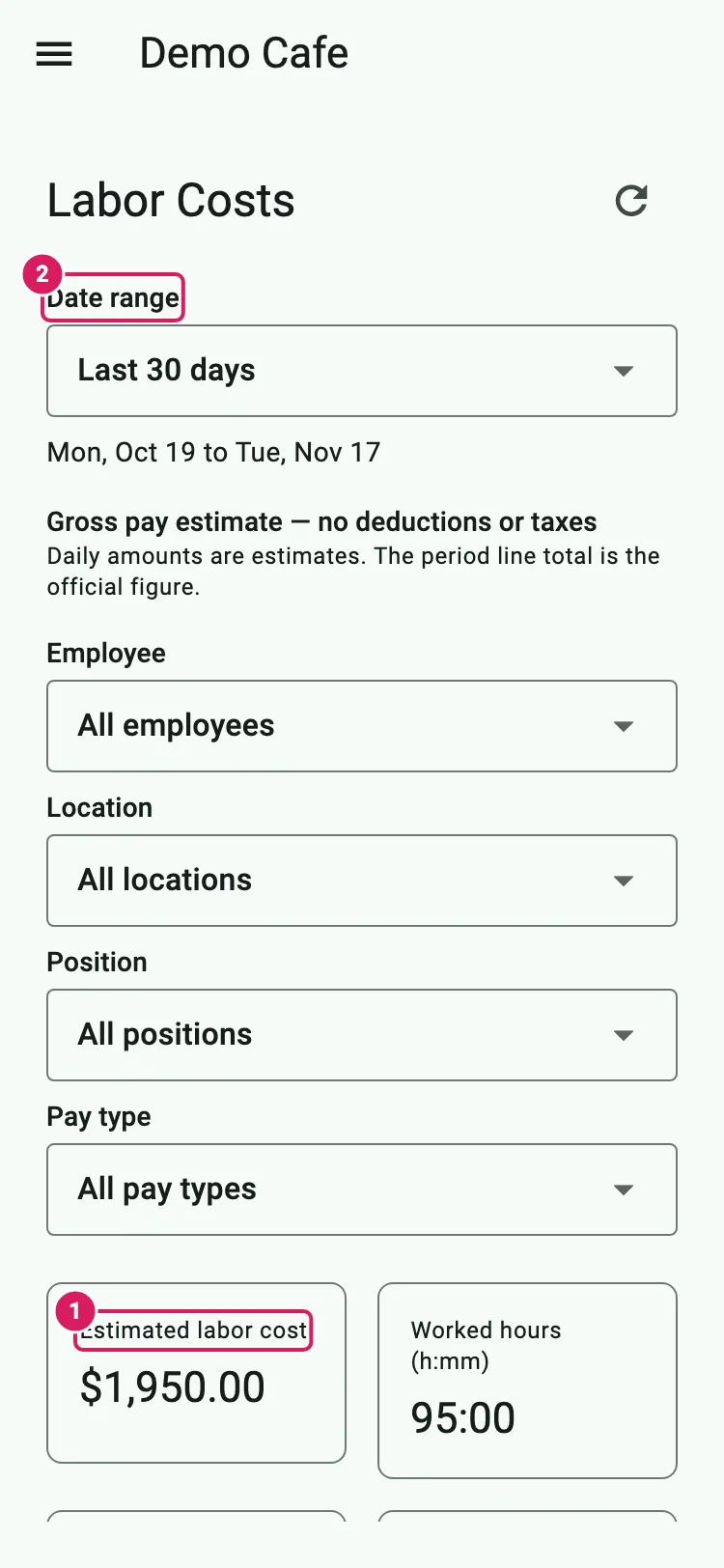
- In Date range, choose the stretch you care about, for example Last week. For other dates, choose Custom range and pick 90 days or less.
- Read the tiles: Estimated labor cost, the hours, Average cost / hour and Employees with time.
- If a warning box is shown, read what it lists. Use Open Corrections or Open Time Logs to solve the open items, then come back and touch Refresh.
- To look at one group, set Employee, Location, Position or Pay type. Every tile, table and chart follows the filters.
- Read the tables: by employee, by location and by position, and the charts of the hours and the cost by day.
Check your work
Section titled “Check your work”- The dates written beside Date range are the dates you meant.
- No warning box is left, or you know why each item in it is still open.
- If you need the official figure of a pay period, open Payroll: its line total is the one that counts.